Sluggish → 60fps$25/mo → $03 sec → instant
Mercury is a native API client written in Rust. No Electron bloat. No cloud accounts. No subscription fees. Just ⌘+Enter and your request is sent.
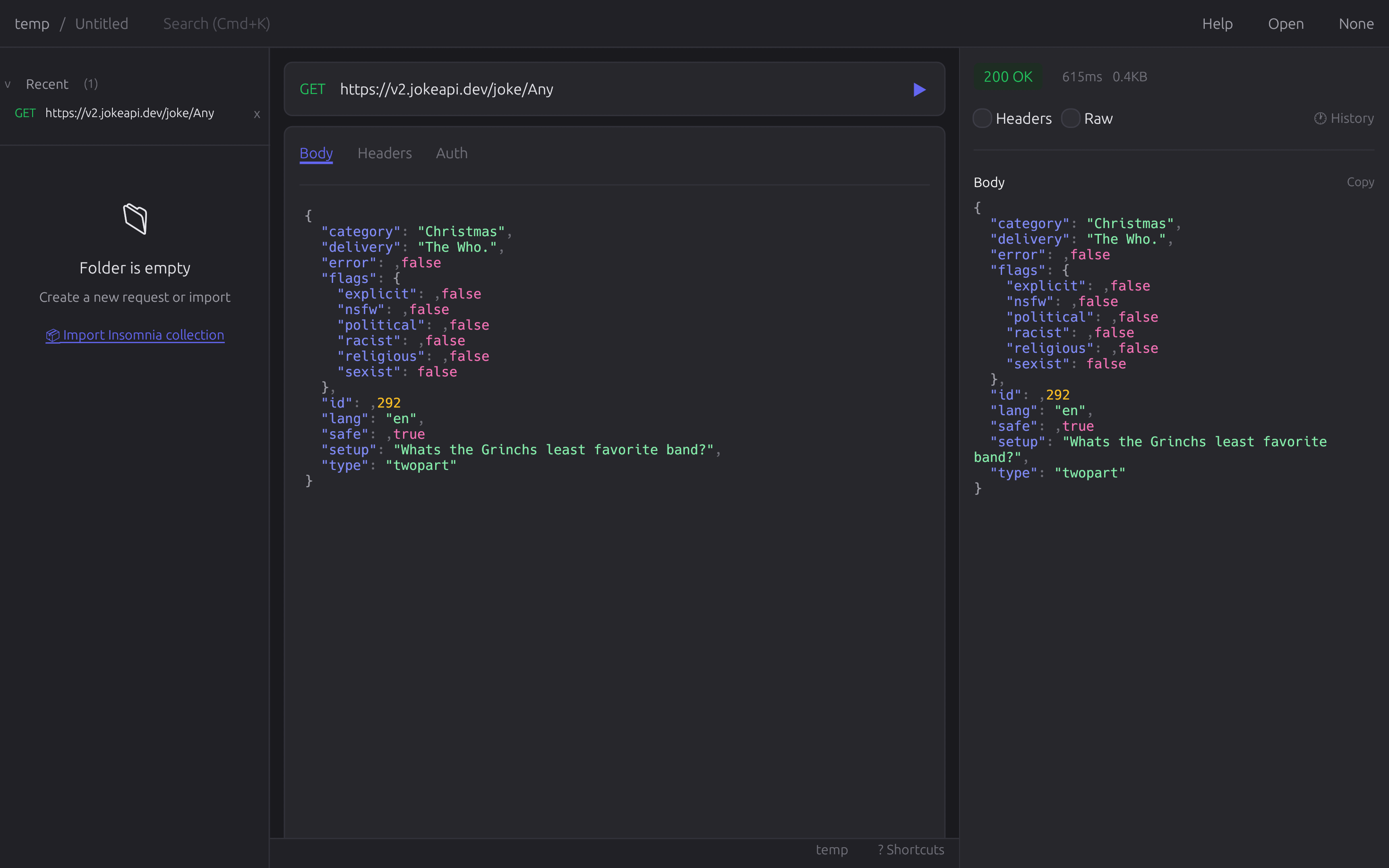
We said no to everything
that doesn't matter
While Postman adds AI assistants, team collaboration, and 47 features you'll never use, we built the opposite. Mercury does one thing: send HTTP requests. Fast.
Inspired by 37signals and the Unix philosophy. No accounts. No cloud. No tracking. No bloat. Your data stays on your machine, in plain text files you can grep.
Native Performance
GPU-accelerated 60fps rendering. <16ms input latency. Scrolling that feels like butter. This is what native means.
Files, Not Databases
Live Two-Way Sync. Edit in VS Code, run in Mercury. Change a file, it updates instantly. No import/export.
Truly Local
We don't have servers. We can't see your API keys even if we wanted to. Your secrets stay yours.
Keyboard First
⌘+Enter to send. ⌘+S to save. ⌘+K to search. Your hands stay on the keyboard where they belong.
The honest comparison
Numbers don't lie. Marketing does.
Your requests. Your files.
No proprietary databases. Just plain text you can version control.
# ~/api-tests/users/get-user.json

GET https://api.example.com/users/{{user_id}}
Authorization: Bearer {{token}}
Accept: application/json

# Variables loaded from .env files. Git-friendly. Greppable.
Get Mercury
One download. No signup. No credit card.
curl --proto '=https' --tlsv1.2 -LsSf https://github.com/Harry-kp/mercury/releases/latest/download/mercury-installer.sh | sh
Windows (PowerShell):
irm https://github.com/Harry-kp/mercury/releases/latest/download/mercury-installer.ps1 | iex
Then run: mercury — Want it in your Applications folder?